Improving the Dog Profile Editor
Following recent improvements to the dog profile view, we have also reworked the dog profile editor. While the overall structure remains familiar, a number of targeted enhancements make editing more efficient and improve the handling of breeders, owners, titles, health information, and photo details.
Titles
As titles are very important to many users, we have dedicated a separate tab to titles and achievements in the dog profile editor. The way titles are handled remains unchanged; however, there is no longer a need to open a separate dialogue box.
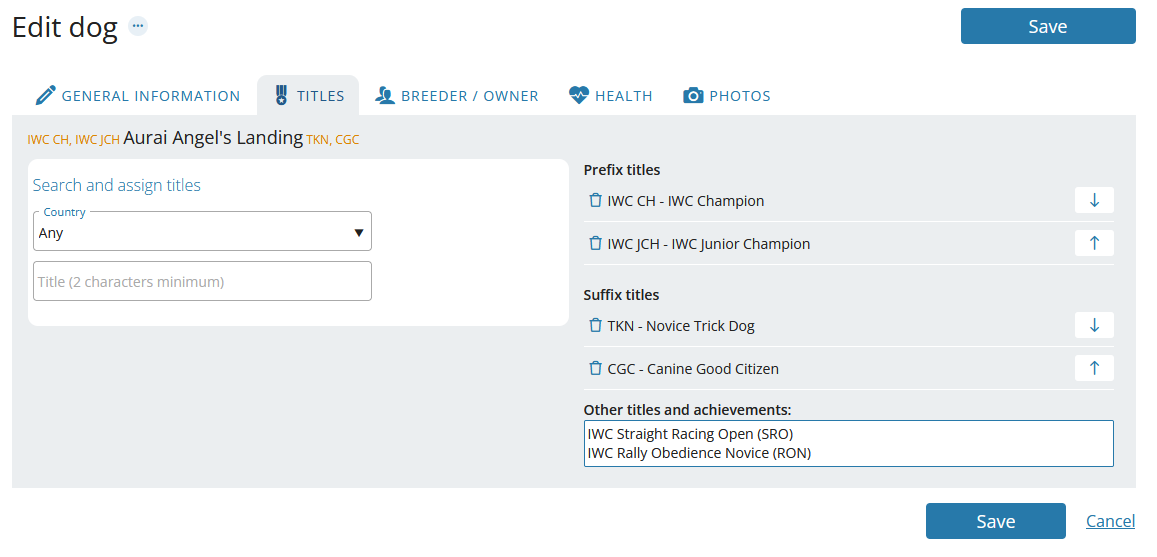
Please note that “Other titles and achievements” has also been moved to this tab, where additional achievements can be added as before.
Breeders and Owners
We have redesigned the handling of breeders and owners and introduced several small but useful improvements. For example, you can search for breeders by kennel name and add all breeders associated with a kennel at once, where applicable.
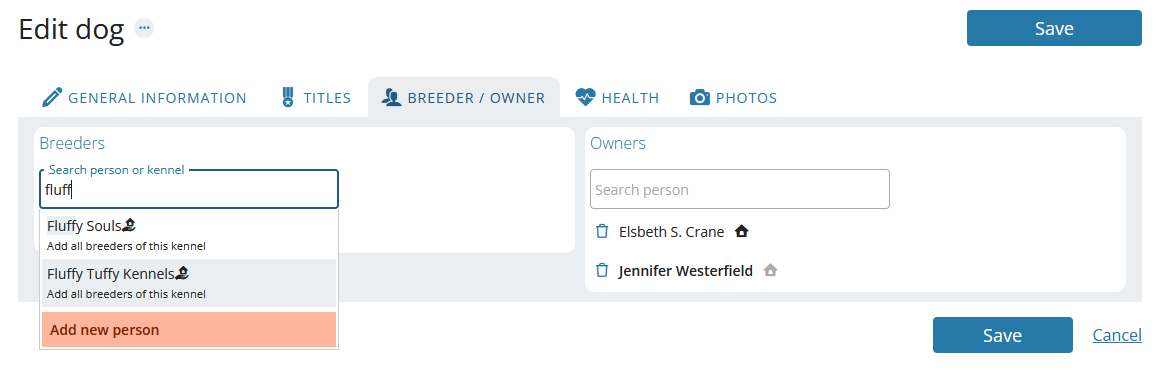
Breeders or owners that have been added are displayed in bold before you click Save, making it easier to keep track of your changes.
In addition, setting the dog’s residency — in other words, which sofa the dog sleeps on 😉 — is now even simpler: just click on the small house icon next to the relevant owner.
Health information
As we have revised and standardised the handling of health information overall, this is now also reflected in the dog profile editor.
We have already described the details in a previous blog post, Recording Health Data More Clearly, so here is just a brief summary of the two most significant changes:
- Health entries now require an explicit result - usually “free” or “not free” - to ensure clarity and prevent misunderstandings.
- Results for the same test, examination, or disease are now better structured, grouped, and displayed chronologically.
Photos
Last but not least, we would like to highlight the small but useful changes to the final tab, the Photos tab.
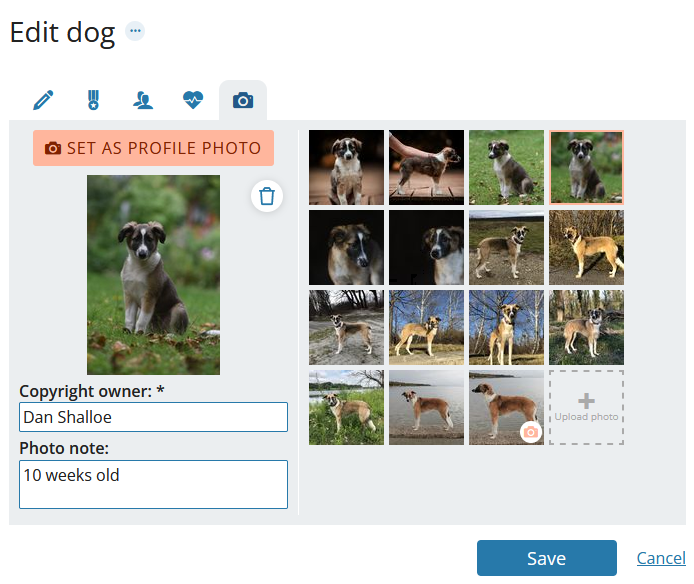
Here, you can now edit copyright information and notes for each photo directly. The additional dialogue box for this interaction has been removed, allowing you to update photo information more quickly and easily.