Smarter and Cleaner: The New Dog Profile
The dog profile page has been given a fresh look. We've tidied it up, polished it and, above all, added a whole host of small but useful new features. Here are the details.
Dog Information – Now More Compact and Clear
We have simplified and improved the layout of each dog’s information, as well as the photo browsing experience. All details are now presented in a more compact format, with empty fields removed.
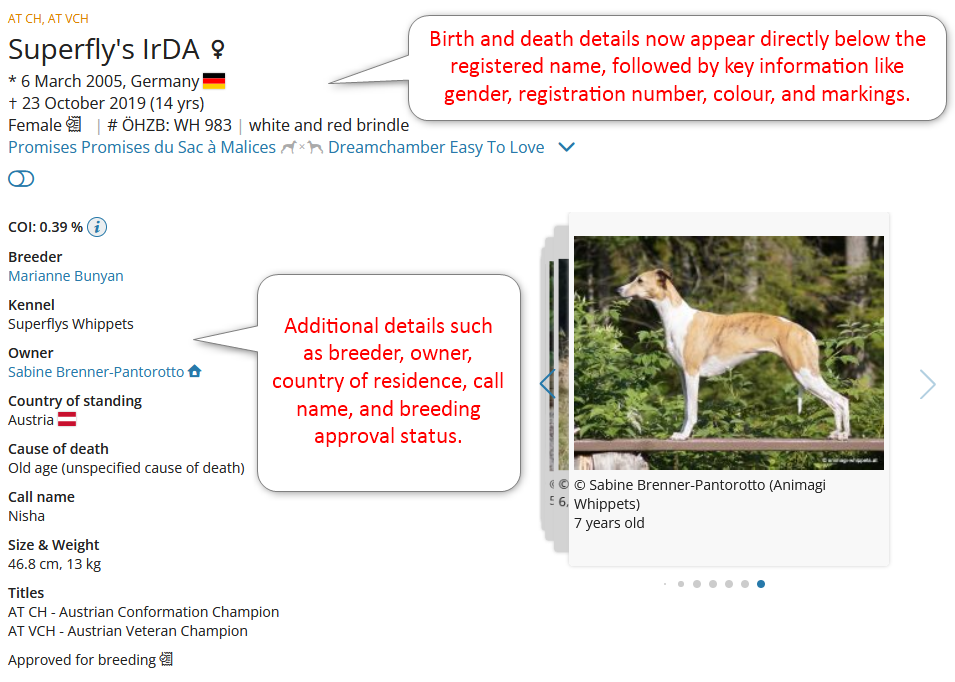
The date and country of birth, as well as the date of death and age at death, are now displayed directly below the dog’s registered name. Beneath this, you’ll find key details such as gender, registration number, colour, and markings.
All other information continues to follow a similar layout as before, but is shown only when available for the respective dog. This includes details such as breeder, owner, country of residence, call name, and breeding approval status.
We have also spruced up the image carousel - you can swipe through photos on your mobile phone.
In addition, photos and detailed information about the parents can now be accessed not only in the pedigree, but also directly within the dog’s profile by expanding the section:

At the top right of the page, you will find familiar and new icons with additional or enhanced functionality. Depending on whether you are browsing on mobile or desktop, the display may vary slightly.
A new feature is the share button (on mobile) or the URL icon (on desktop), allowing you to easily share the current dog profile or copy the direct link.
As before, you can initiate a test mating with the current dog as sire or dam and add the dog to your favourites. The dog can now also be removed directly from your favourites via the icon.
You can also show or hide certain information, such as modification details, using a toggle.
Siblings, Matings and Offspring
In the past, repeat litters sometimes made the list of siblings on the dog profile page appear cluttered. We have now addressed this by visually separating the individual litters. The litter containing the dog’s direct littermates is listed first, followed by other litters sorted by date and grouped visually.
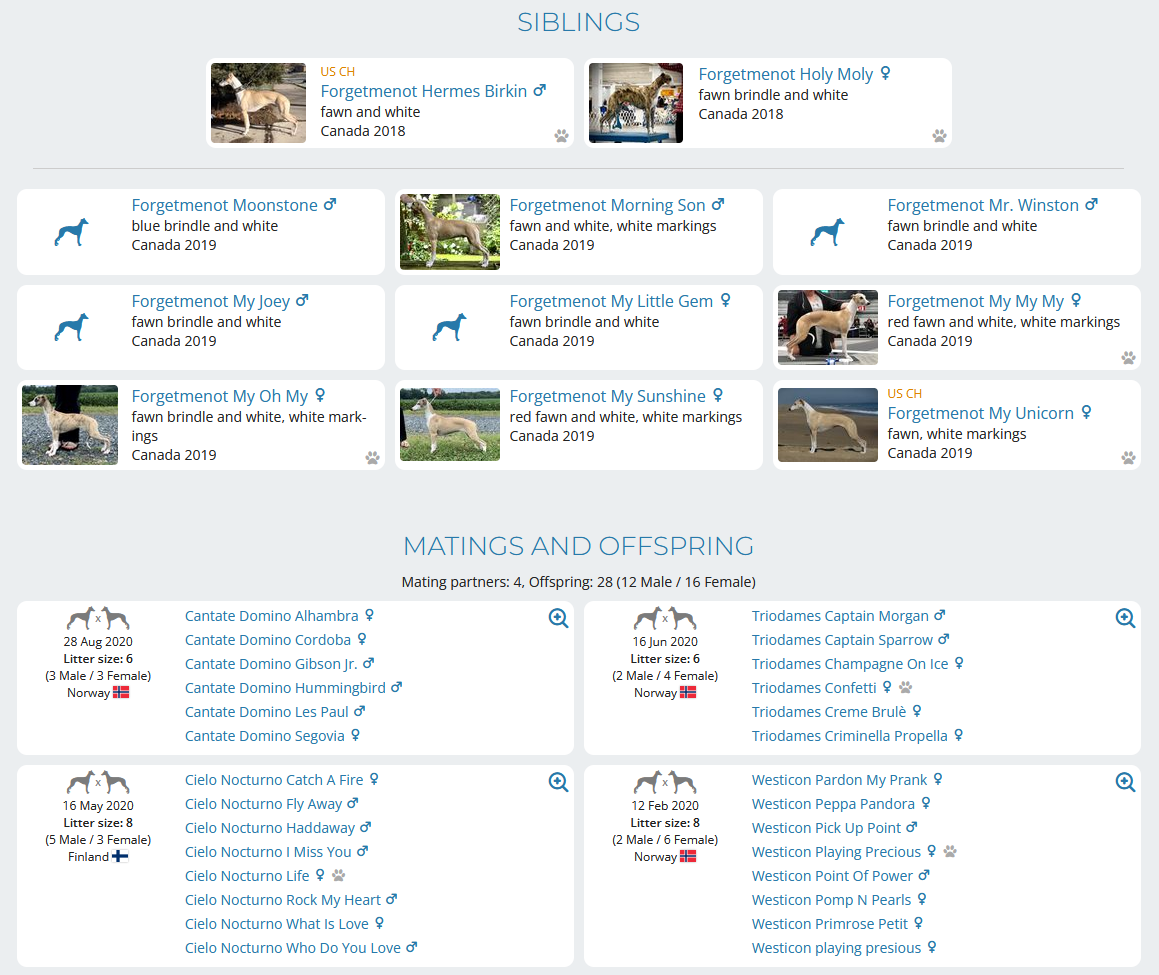
We have also revised the mating and offspring section to include additional information about the litter’s country of birth. As with the dog details above, the country is marked with its national flag for quick identification.
One small pawprint ...
However, one of our favourite new features is the pawprint. This small but useful icon reveals at a glance which dogs have been used for further breeding. A tooltip even indicates the number of litters there are - this can be viewed for both siblings and, for subscribers, also for offspring.
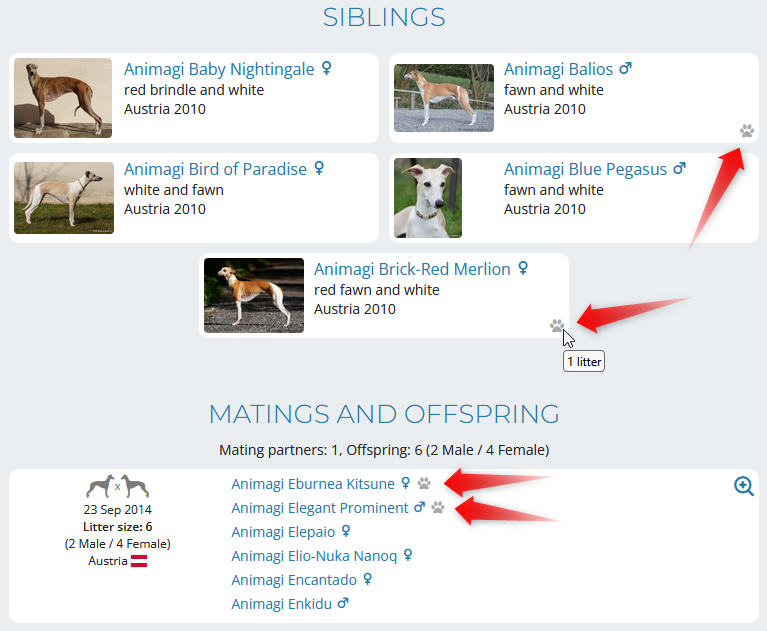
We have also introduced this feature on breeder pages, where the pawprint allows you to immediately see which dogs from the kennel have been used for breeding.
Private Notes in the Pedigree
And last but not least, we would like to introduce another feature that some of you have been eagerly awaiting.
Private notes that subscribers make about dogs are now shown as separate markings in the pedigree. All dogs in the pedigree for which you have created a private note are marked, and you can preview the beginning of your note’s content by hovering over the icon.
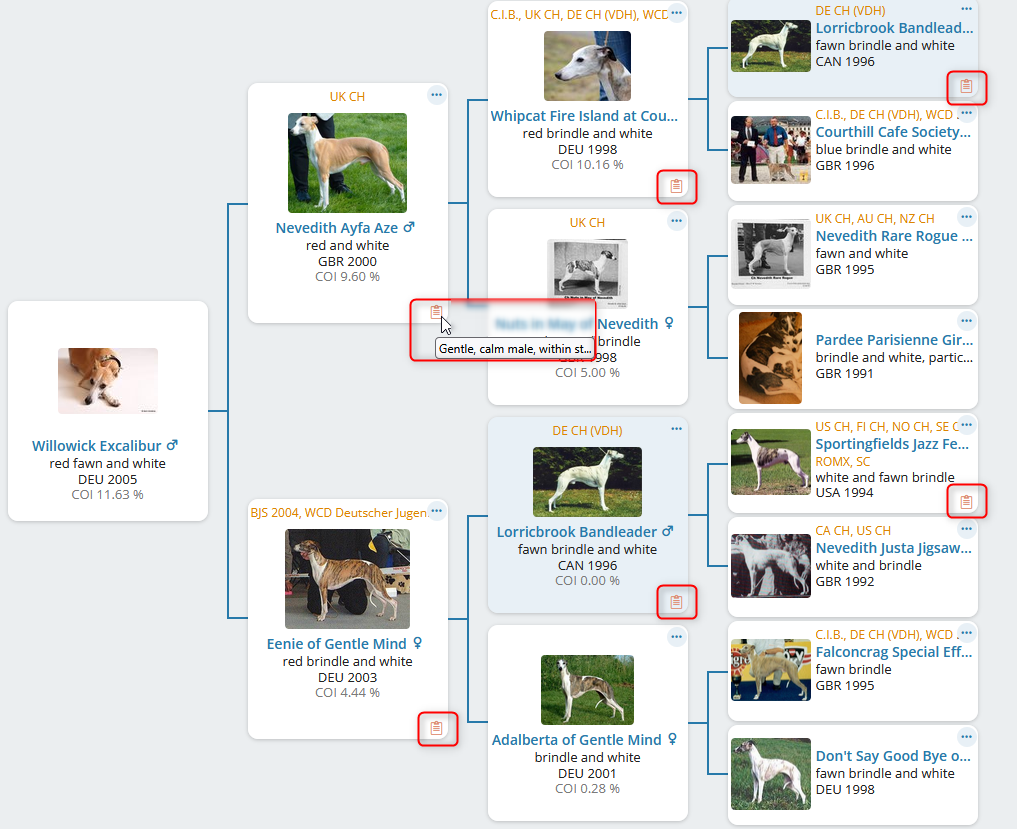
This feature is very useful for breeders, as it allows them to view their private notes about individual dogs — such as health, physical characteristics, or personality — directly within the pedigree.